What is an attribute?
Introduction
Attributes are fields that complement the information of SoftExpert Suite objects. To do so, these fields must be associated with the types and categories of these objects.
Attributes can also be used to generate automatic ID #s and create dynamic navigators to narrow down the searches.
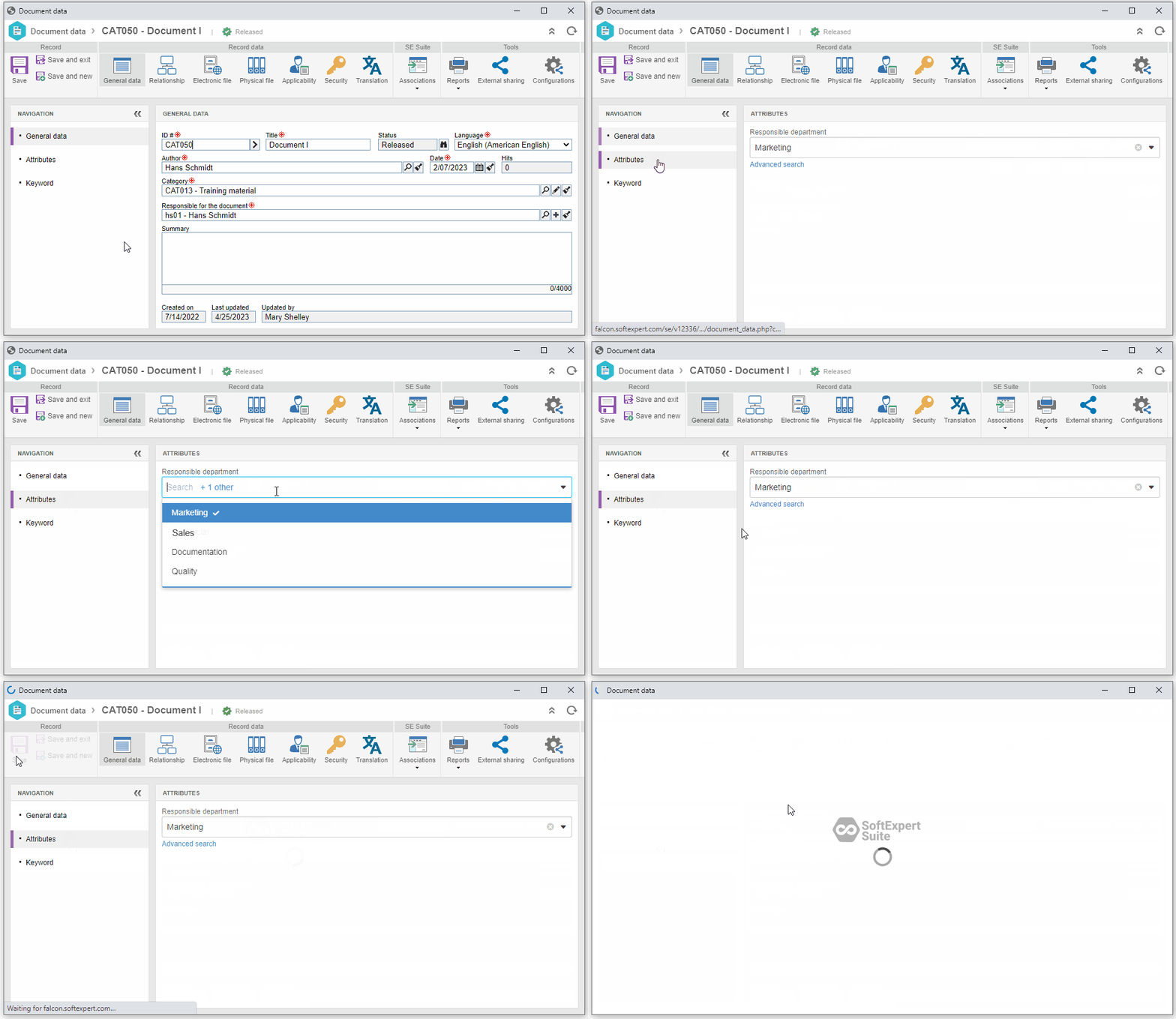
For example: the company documents must have a field to identify the department that is responsible for them.
To do so, it is possible to create a "Responsible department" attribute (with values such as "Marketing", "Sales", etc.) and associate it with a document category.
Upon creating a document in this category, it is possible to select the option that corresponds to the desired department.
Shall we start?
By following the steps of the flow below, it is possible to successfully configure and use an attribute:
 |
 |
 |